


Description
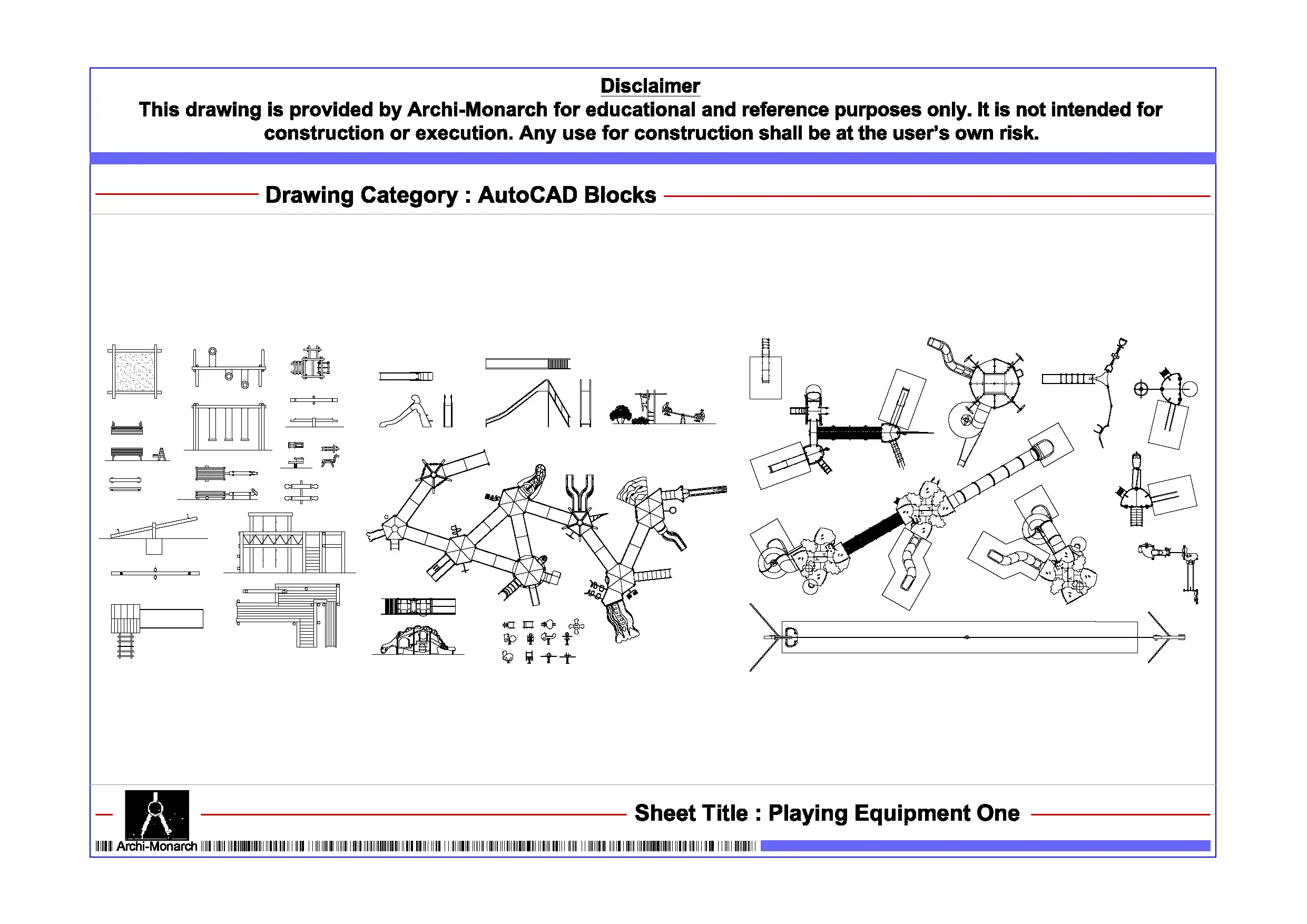
The Playing Equipment is a professionally prepared AutoCAD block in DWG format. It serves educational and reference purposes. Play elements support activity and engagement in outdoor spaces. Therefore, designers include them in parks and recreational layouts. As a result, proper placement improves usability and safety.
This CAD block provides a clear and accurately scaled representation of playing equipment. In addition, it suits playgrounds, parks, schools, and residential developments. The drawing includes plan views and symbolic representations. Furthermore, it shows equipment layout and activity zones. Moreover, it helps define circulation space and user movement. Consequently, users can design functional and well-organized play areas.
Moreover, the drawing follows professional architectural and landscape drafting standards. It uses clean linework and proper scaling. As a result, it ensures clarity and consistency. Therefore, students can easily understand playground planning. Similarly, professionals can improve drafting efficiency and presentation quality. The file remains fully editable, so users can modify layouts as needed. In addition, they can adjust size and placement to suit different project requirements.
The DWG format ensures compatibility with AutoCAD and similar CAD software. Thus, users can import the block directly into their drawings. This also helps save time and improve workflow efficiency. Furthermore, it supports coordination between architectural layouts and landscape design.
This playing equipment block fits many project types. For example, designers use it in parks, schools, residential complexes, and public spaces. Overall, it supports both academic learning and professional drafting work.
Key Highlights:
- Playing equipment AutoCAD block in DWG format
- Intended for educational and reference use only
- Includes playground and recreational equipment layouts
- Suitable for parks, schools, and landscape drawings
- Helps define activity zones and circulation space
- Fully editable and easy to customize
- Compatible with AutoCAD and other CAD software
- Suitable for students and professionals
This drawing is not a construction-ready document. Therefore, always consult qualified professionals before using it in real projects.







Reviews
There are no reviews yet.